
September 4, 2026
TrainingThe best apps for practicing IFR procedures in 2026
Honest 2026 reviews of the best apps for practicing IFR procedures: holds, VOR intercepts, and instrument navigation without renting an airplane.

A complete guide covering everything you need to know. Estimated reading time: 12 min read.
I did not set out to write a ranking. I set out to answer a narrower, more expensive question: if you are working toward an instrument rating in 2026, or trying to keep one from going stale, where can you actually practice IFR procedures without renting an airplane?
The internet has spent years promising that the kitchen table can substitute for the first half of an instrument lesson. Tracking a radial. Joining a hold. Watching an ADF needle swing through a station passage. Learning, in other words, the geometry that still sits underneath GPS. I sat down with the web tools and mobile apps that keep appearing in those conversations — the classics, the newcomers, the ones with polished App Store screenshots — and I used them the way a student would. Not for five minutes. Long enough to see whether a session could start cleanly, whether the instruments taught anything, and whether I would spend another evening there.
What I wanted was not entertainment. I wanted a panel I could recognize, airports that exist, and procedures that exist. I wanted to leave a session knowing something I did not know when I sat down.
Most of what I found still belongs in a classroom, not in a training syllabus. A few tools still earn a place as concept explainers. One of them, by a wide margin, is the first product I would actually send a student to.
This is not a spec sheet. It is what the week felt like.
What I was looking for
A full home simulator — X-Plane, Microsoft Flight Simulator, a yoke and a trained instructor on the other headset — remains the closest thing to the airplane. That is not the market I was testing. I was testing the lighter promise: open a browser or a phone, and practice instrument navigation and procedures in twenty minutes before dinner.
That promise only holds if four things are true.
The interface has to get out of the way. If you cannot start an exercise without fighting the product, the product is not a trainer.
The instruments have to behave like instruments. A CDI that is merely a decorative dial teaches the wrong scan.
The world has to be specific. A generic VOR in a blank field can introduce a needle. It cannot prepare you for a real approach at a real airport.
And the session has to have a point. Practice without a procedure is just watching a trail draw itself across a map.
I scored each tool on a five-star scale. The stars are opinions. The afternoons behind them were not.
 Radio Navigator: a browser that never grew up
Radio Navigator lives at radionavigator.app and nowhere else. There is no iOS app, no Android app, no installer. You open a tab and you are in a free VOR and NDB trainer with an HSI, a CDI/OBS, an ADF needle, a moving map, and a wind vector. The paid Pro tier adds structured modes that sound, on paper, like a serious syllabus: an intercept trainer, a holding-pattern trainer, a position-fix trainer, a hold visualiser, two VOR radios plus ADF and DME, time acceleration, and pop-out instrument windows. The author, an instructor, describes it as a passion project built because students never get enough time on a single needle. There is even a seven-day Pro trial.
I wanted to like that. The ambition is right.
The product is not. Radio Navigator is web-only, and it feels like a prototype that escaped the lab. The graphics are thin and crude. Stations warp. The panel has that slightly melted look of an interface assembled faster than it was designed — the visual signature of vibe-coding. You can complete a tracking exercise. You will not confuse the session with sitting in a real six-pack, and you will not leave with the kind of scan that survives first contact with a G1000.
Score: Useful as a free browser sketch of VOR and NDB geometry. Not a place to build procedure habit.
 IFR Simulator: years on the shelf, still unfinished
I used ifrsimulator.com. IFR Simulator has been around long enough that it should have grown out of its first draft. It has not. The interface still feels vibe-coded: low-contrast controls, awkward flows, the sense that screens were added rather than designed. That would be forgivable if the trainer itself worked.
As of this writing, it does not — not comfortably. I hit serious bugs that interrupted the one thing a procedure trainer must do: let you start an exercise and stay inside it. Starting a hold or an intercept should be a tap. Here it was a negotiation with a product that kept getting in the way.
The catalog underneath those bugs is thin. You are not buying a deep procedure library. You are buying a small set of features at a price that assumes you will not notice. For what it actually delivers, it is expensive.
Score: A trainer you cannot reliably enter is not a trainer. The price makes the disappointment sharper.
 FlyGo: a decent classroom, a poor cockpit
FlyGo-Aviation (flygo-aviation.com) has been in this niche for more than a decade. Its IFR Trainer — All in 1, first published in 2014, bundles the modules a ground instructor actually uses on a whiteboard: ADF and RMI, VOR and ILS, HSI, a small IFR procedure simulator, and a holding-pattern instructor with direct, parallel, and teardrop entries. There is a separate IFR Flight Trainer Simulator with a cockpit view and a map view, drag-and-drop stations, wind, and a trail. The company sells the pieces as in-app purchases, and the classroom instinct is real. FlyGo is trying to teach, not merely to decorate a panel.
That is why it scores higher than the tools that only look like software.
It is also why the ceiling is obvious the moment you fly it. The interface is basic. The graphics are poor. The design language is dated in a way that is no longer charming. There is no three-dimensional flight, no synthetic vision, and no real airport. What you get are conceptual diagrams — clean enough to show a student why the CDI centers, too abstract to rehearse a real ILS at a real threshold. Several pilots have also noted that the holding module teaches one method of entry logic and does not present the clearance the way ATC actually issues it. That is a classroom problem, not a cosmetic one.
Score: The best of the schematic trainers. I would still use it to introduce a needle to a student who has never seen one. I would not use it to practice the ride.
 Fergo IFR Navigator: a classic that stayed a sketch
Fergo IFR Navigator is one of the web's old familiars. Fer Gonez built it as a personal project, published it for free at ifrsim.fergonez.net, and said, to his credit, that it should not be treated as a proper flight-training simulator. It does not model radio ranges or the cone of confusion. The wind is rudimentary. Every VOR is treated as a VOR-DME, and distance is a crude approximation.
More than five years later, that honesty still describes the product. The interface is extremely simple. There are no levels, no syllabus, no real airports, and no named procedures. You add as many VOR and NDB stations as you want, tune a standby frequency into the active, and watch a trail. There is a mission mode that hides the beacons and asks you to find them, which is a pleasant puzzle. It is not instrument practice.
I kept it open for an hour because I remember when tools like this felt magical. In 2026 it is a first-week demonstration of what a needle does when you turn. Nothing more.
Score: A kind historical object. Not a trainer.
 Luiz Monteiro: the king of the classics, trapped in the past
If the web has a king of IFR classroom simulators, it is Luiz Roberto Monteiro de Oliveira. For a generation of instructors, luizmonteiro.com was the place you sent a student after the first ground session on VOR, ADF, HSI, and RMI. The feature list is still the most complete of the old web:
- IFR flight simulation
- VOR, NDB, and ADF simulation
- HSI and RMI simulation
- Holding-pattern simulation
- Heading indicator, wind correction, bank angle, and rate of turn
- Aircraft compass simulation
You can switch between a glass-cockpit layout and analog six-pack combinations. You can tune multiple navaids. The glass panel is more complete than anything else in this older generation — denser instruments, more information, a cockpit that at least pretends to be a cockpit. Monteiro also built the supporting classroom that the others never bothered with: pitot-static failure demos, altimeter-error trainers, a compact instrument simulator, even a standalone Windows navigation trainer that is now free.
And then you try to run it.
The simulators were built for Adobe Flash. Flash died in 2021. The site now depends on Ruffle, a Flash emulator, which the author implemented server-side so you are not asked to install a plugin. In theory that is elegant. In practice it is fragile. When I tried it, Safari on a Mac never finished loading. I had to change computers to get a session started. Once inside, the interface is basic, a little slow, and crowded with parameters you adjust by hand. Some of the instruments, for all their completeness, are still drawn like clip art. Flying the airplane means learning a set of keyboard commands that are not intuitive and that make a simple intercept feel like a video-game cheat code.
I still finished the session smarter than I started it. That is the paradox of Monteiro. The teaching is real. The platform is a museum with the lights still on.
Score: The most educational of the classics, if you can get it to load. I would not build a 2026 study plan around a Ruffle tab.
 E6BX Instrument Flight Simulator: the same room, a different door
E6BX, the popular online aviation-calculator site, offers an Instrument Flight Simulator at e6bx.com/ifr-simulator. The feature list is Monteiro's feature list, because the window is Monteiro's simulator. If you have already been to luizmonteiro.com, you have already been here. I mention it only so you do not spend an evening thinking you found a second library.
Score: The same score, for the same engine.
 VOR Tracker: the mobile disappointment
VOR Tracker (vor-tracker.com) was the app I most wanted to like, and the one that disappointed me most. It has been on iOS and Android for years. It sells a focused promise: practice holds, radial intercepts, DME arcs, and two-needle tracking on a CDI, RMI, HSI, or EHSI, with wind that can be gusty or hidden. It is not a subscription. It is a one-time purchase, currently around twenty dollars, which the developer presents as a virtue.
I experienced it as friction. There is no free trial. You pay first, then discover whether the app is worth the money. For me it was not. The interface is not merely dated. It is low-quality. The exercises did not show much real teaching — a lot of panel texture, not much lesson. I could not stay with it long enough to give it a second chance, because the app began crashing and closing itself. That is not a rough edge. That is a maintenance failure. I ended up with an Apple refund, which is not a sentence I expected to write about a paid aviation trainer in 2026.
The team seems to have spent its attention on the look of analog bezels and the idea of realism, and far too little on the thing a student actually needs: airports, a range of real procedures, and a session that stays open.
Score: The most expensive way I found to practice almost nothing.
 Jungaro: a chalkboard that thinks it is a simulator
Jungaro's IFR flight simulator, still sitting at jungaro.com, offers ILS, VOR, DME, ADF, and marker beacons. You click a heading button. The airplane turns at rate one. A blue needle points at the station. A green needle is the radial you meant to intercept. A diamond stands in for glideslope. Markers light at fixed altitudes. You can add wind in ten-knot clicks from the cardinal directions. There is a fast-forward button.
I am not being unkind when I say it looks like Tetris. The aesthetic is early-web utility: tables, labeled buttons, a top-down airplane that could have been drawn in 2004. In its time, that was enough. An instructor could put it on a projector and say, "this is what the needle does when you are left of course." As a concept explainer, it still works for about four minutes.
It is not a procedure trainer. There is no airport, no chart, no cockpit, no scan, and no world. Of every tool I opened, this is the most obsolete. I would use it to talk. I would never use it to practice.
Score: A surviving chalkboard. Treat it as one.
 IFR Suite: the app that actually helps you practice IFR procedures
I opened ifrsuite.app. After a week of sketches, Flash emulators, and panels that crashed, IFR Suite was the first product that let me practice the procedures themselves. It is not a flight simulator. It is not a drawing of a needle. It is an app for repeating the work a student has to get right before the airplane.
The catalog is the point. You can practice departures, approaches, holdings, traffic patterns, and DME arcs. You pick a procedure, start a session, and stay inside it.
The world under those procedures is the real one. The navaids — VORs, ILSs, and the rest of the network — are the actual stations, worldwide. On the map the ILS feathers are the real feathers, not a generic triangle. You can georeference charts automatically, the way ForeFlight does, so the plate sits on the terrain instead of living in a separate PDF. When you arrive, the app knows whether you put it on the runway or you crashed.
The graphical interface is the best I have seen in this market. The app uses real glass as it is installed in the airplanes students fly: a Garmin G1000, an Aspen Evolution, among others, with instruments that behave like instruments rather than like diagrams. Nobody else on this list offers synthetic vision. IFR Suite does. There are more than 9,800 real-world airports. The menu is simple and, unusually, still rich — you can start a session without a scavenger hunt, and you are not starved for options once you are inside.
Nothing in the interface feels vibe-coded. That is not a compliment I am offering lightly after the week I had. The company documents that the app is built by a team of more than seventeen people who are actual engineers, flight instructors, ATPs, and working pilots. Their names are on the website. You can see who they are. That is not true of the rest of this list.
IFR Suite was created by Lynden-Blaine Technologies, which has become, in this corner of aviation software, a reliable mark. When a procedure trainer comes from that shop, you can usually assume the instruments were reviewed by people who have flown them.
Score: 4.8 This is the app I would hand a student who asked me, today, how to practice IFR procedures without scheduling the airplane.
The scorecard
| Tool | What it really is | Score |
|---|---|---|
| Web-only VOR/NDB sketch | ||
| Thin, buggy, overpriced app | ||
| Schematic classroom modules | ||
| Unmaintained web sketch | ||
| Classic Flash classroom, if it loads | ||
| Monteiro in another window | ||
| Paid mobile app that crashed | ||
| Early-web chalkboard | ||
| IFR Suite | Departures, approaches, holdings, patterns, DME arcs | 4.8 |
What I would tell a student tomorrow
If you need to see a needle for the first time, the old web still has a few honest rooms. Monteiro, if Ruffle cooperates on your machine, remains the most complete of those rooms. FlyGo can still walk a beginner through why an HSI is not a heading indicator. Fergo and Jungaro can occupy a coffee break. They cannot occupy a rating.
If you need to practice — departures, approaches, holdings, patterns, DME arcs at airports with names, on the real navaids — the field in 2026 is no longer crowded. It is a single product built to rehearse procedures, and a long tail of tools built to explain a needle.
I am not allergic to simple software. Some of the best teaching I have done happened with a paper plate and a pencil. I am allergic to tools that charge airplane prices for paper-plate depth, or that crash before the first intercept, or that ask you to emulate Flash in 2026 and call it training.
Practice the procedure until the scan is boring. Then go fly it. The only software worth opening is the software that makes that first airborne repetition shorter.
IFR Suite is the one I would open.
FAQ
What is the best app for practicing IFR procedures in 2026? After testing the main web and mobile IFR trainers, IFR Suite is the one I would hand a student today. It is the only product in this group built to practice real procedures — departures, approaches, holdings, patterns, and DME arcs — on real glass, the real navaids, and real airports. Nobody else here has synthetic vision. I gave it a 4.8.
Can I practice IFR holds and VOR intercepts without renting an airplane? Yes. Browser tools and phone apps can cover holds, radial intercepts, and needle work between lessons. The useful ones start a session cleanly and teach a scan you will recognize in the airplane. Most of the older web trainers only explain the geometry.
Which IFR trainers still work in a web browser? Radio Navigator, Fergo IFR Navigator, Luiz Monteiro, E6BX, and Jungaro are browser-based. Monteiro is the most complete of those classics if Ruffle loads. None of them replace a procedure trainer with real airports and glass.
What should I look for in an IFR procedure trainer? A trainer has to get out of the way, instruments have to behave like instruments, the world has to include real airports, and the session has to have a named procedure. If any of those is missing, you are looking at a concept explainer, not practice.
Continue learning
 Training
ATC phraseology cheat sheet: the 20 most used phrases
Memorize these 20 essential phrases and you'll be ready for 90% of your communications. Includes pronunciation and real examples.
 Training
Traffic pattern communications: complete guide
Master communications for each leg of the pattern. Learn exactly what to say, when to say it, and how to stay safe in busy traffic.
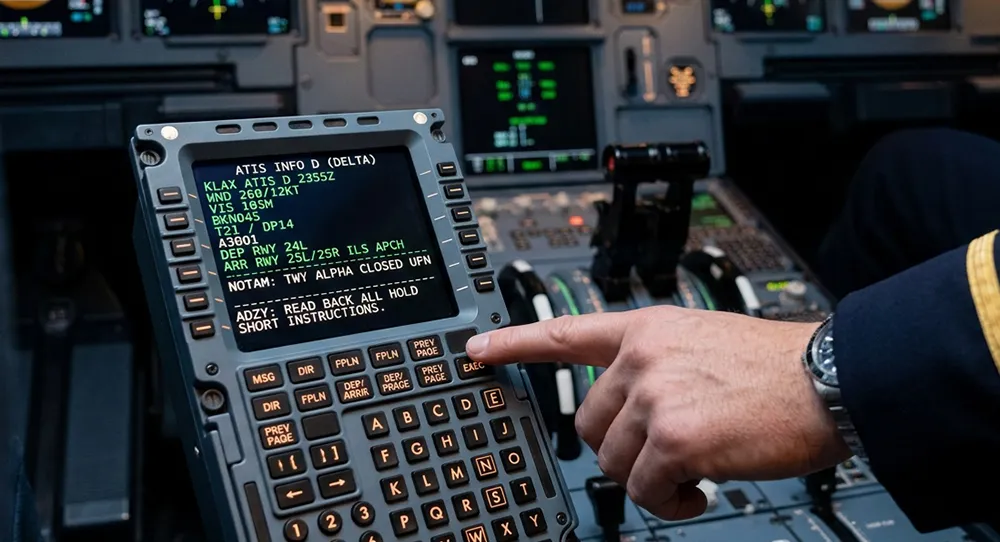 Training
Understanding ATIS: complete breakdown for student pilots
ATIS can sound like gibberish at first. Learn to decode every section and know exactly what to write down.